Let's discuss your project
Trade terms for professionals and design studios
Let's discuss your project
Trade terms for professionals and design studios
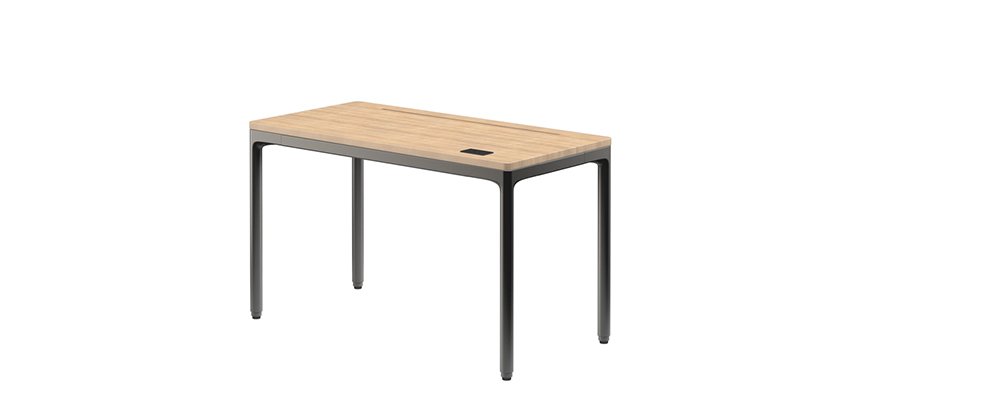
Along the back of an eFloat Quattro top in MDF or solid wood runs a groove, 20 mm (0.79 in) deep and set 60 mm (2.36 in) in from the rear edge. Humanscale calls it the Smart Channel. A monitor arm clamps into it, the cables drop into it and vanish, and nothing extra has to be bolted on. Anyone judging contemporary office desks by how tidy they still look a year later should start right there.
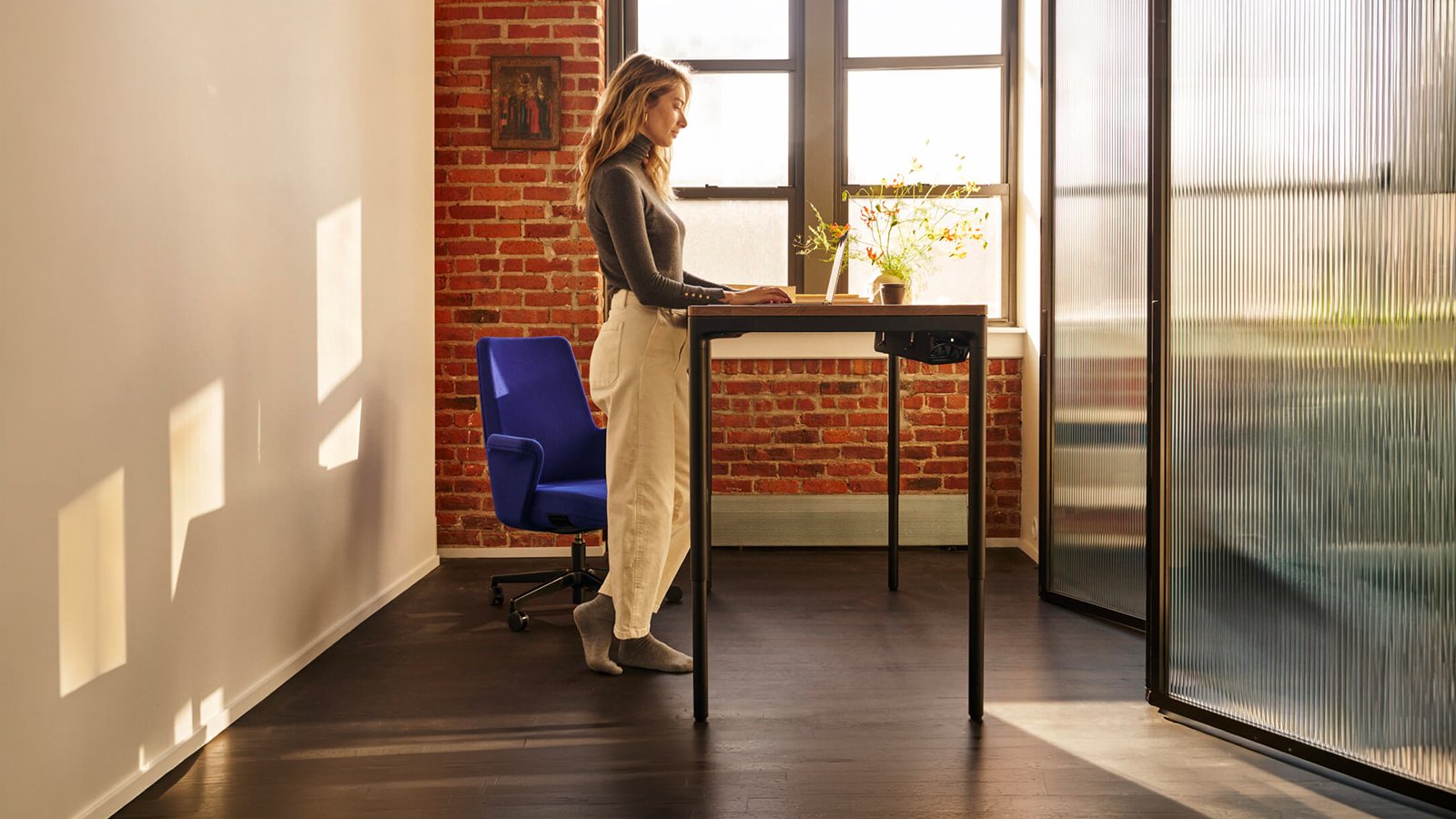
It counts for more on a desk that moves. With the screen fixed to the top rather than standing on it, the whole set-up rides along when quiet motors take the desk from sitting to standing, which is the point of sit-stand desks in the first place. The digital handset, flush with the surface on the right, remembers two heights, and anti-collision sensors are part of the build. Designed by the Humanscale Design Studio, it stands on four round legs where the usual sit-stand frame has two.
The channel also sorts the tops. You get it with powder-coated MDF in Stone Gray, Carbon Black or Cloud White, and with solid walnut or white oak; the wood-effect laminates, Continental Walnut and Natural Rift Oak, keep an unbroken surface instead. There are four sizes on two depths, from 1,168 to 1,778 mm (46 to 70 in) wide, and the base is finished in Cloud White, Carbon Black or Stone Gray. La Mercanti begins by asking what will be clamped to the desk, and only then suggests which top to order.

Because the powder-coated MDF tops give you flat colour, and colour can be matched. They come in Carbon Black, Cloud White and Stone Gray, the same three shades as the base, so ordering top and frame alike turns the desk into one tone from floor to surface. Like the solid wood, these tops carry the Smart Channel. Wood brings grain and warmth; MDF brings a quieter object that sits back in a room full of other furniture.
That is exactly what the four legs are for. Humanscale states that the four-leg structure provides the stability needed for two monitors, heavier set-ups and the daily switch from sitting to standing. A practical tip from experience: mount both screens on arms fixed in the Smart Channel rather than on feet, so the surface stays clear and the screens move with the top as one.
Humanscale describes the motors as quiet and talks of moving from seated to standing with silent precision. That is the useful part for an open-plan floor, a shared office or a video call: changing position does not have to wait for the room to empty. Add the two heights stored on the handset and moving up or down stops being a decision you have to think about.
Very little. Humanscale's care advice is to clean the surfaces with water and a mild detergent, dust them with a soft cloth and dry them with a soft, dry one. Nothing more is asked for. No special products to keep in the office cupboard: a cloth and a little soapy water cover it, which helps on a desk cleaned by an outside service or shared by several people.
The Cable Manager, available on request: a tray fitted under the top, made in three lengths to match the three widths of the desk. Its brackets come in Stone Gray, Carbon Black or Cloud White, so they can follow the base, and the tray itself is finished in leather. Every desk already has a vertical cable manager along one leg; the tray is for the chargers, adaptors and spare lengths that would otherwise end up on the floor.
Five checks that decide where eFloat Quattro should stand: the nearest socket, what sits overhead, which side the handset is on, how the chair moves between the legs, and how deep the room allows.
eFloat Quattro takes its power through a 2,750 mm cable with a European plug. Measure from the outlet to the spot you have in mind, then remember that the top climbs: leave the lead some slack at seated height rather than pulling it taut. Decide early which leg it will follow down to the floor.
At its highest the top sits 1,117 mm (44 in) above the floor. Check what lives around that line: a wall shelf, a window ledge, a low cabinet alongside. Humanscale fits anti-collision sensors, yet the best layout is the one where the top meets nothing at all on its way up or down.
The digital handset is set flush into the top on the right, and it stores two heights. A cabinet or a wall on that side is no problem, as long as the hand reaches the controls without leaning across. Left-handed users should try the position before the layout is fixed.
Four round legs, one at each corner, means the chair rolls in from the front between two of them. On the narrowest top, 1,168 mm (46 in) wide, a wide armchair should be tried against the gap; the broader tops give more space either side of the knees.
Depth is 584 mm (23 in) or 737 mm (29 in). The shallower top suits a narrow room or a desk against a window; the deeper one leaves space for a keyboard, papers and a screen on an arm. The Smart Channel runs 60 mm (2.36 in) from the rear edge, so a desk pushed to the wall keeps its arm close to it.